Dashboard
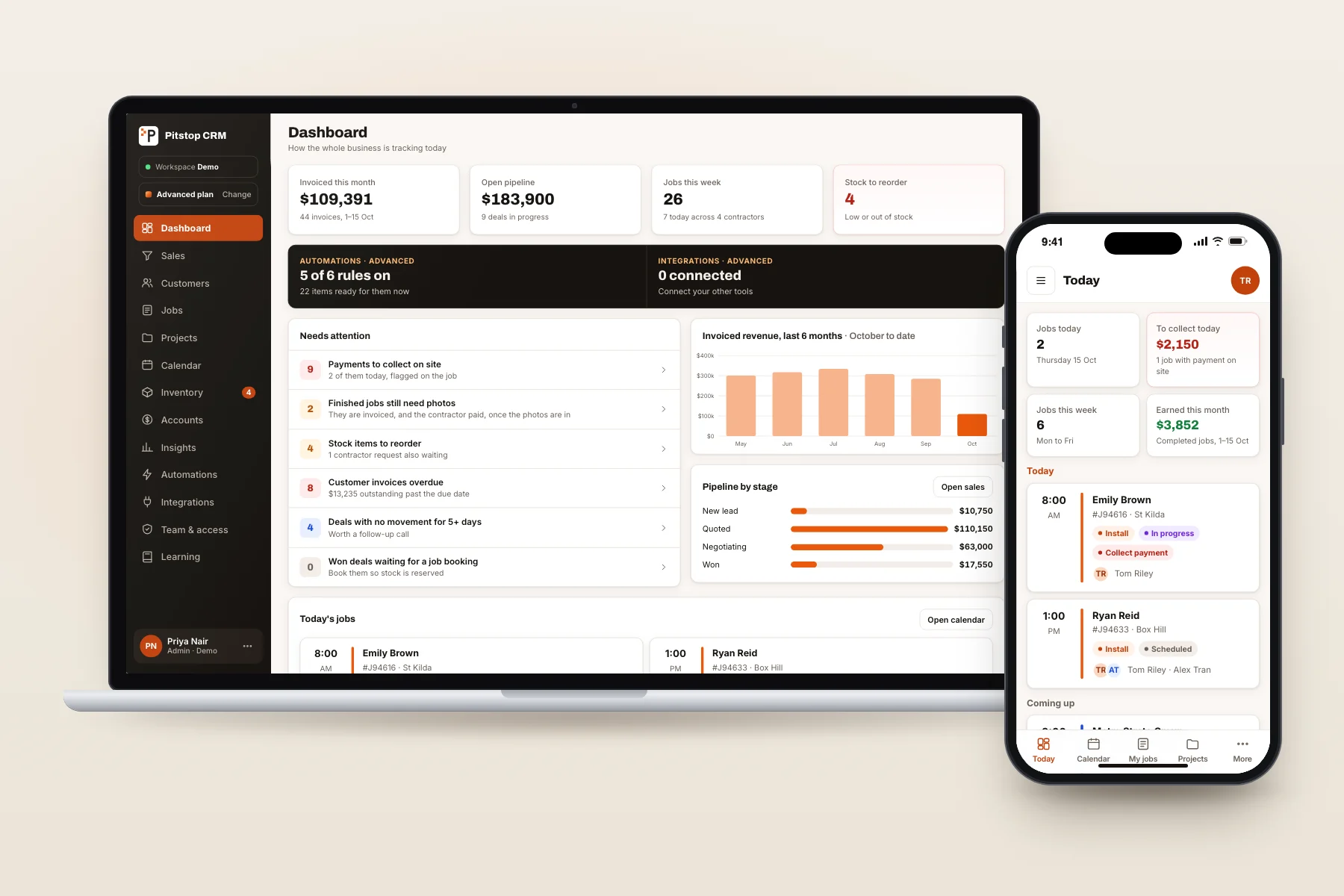
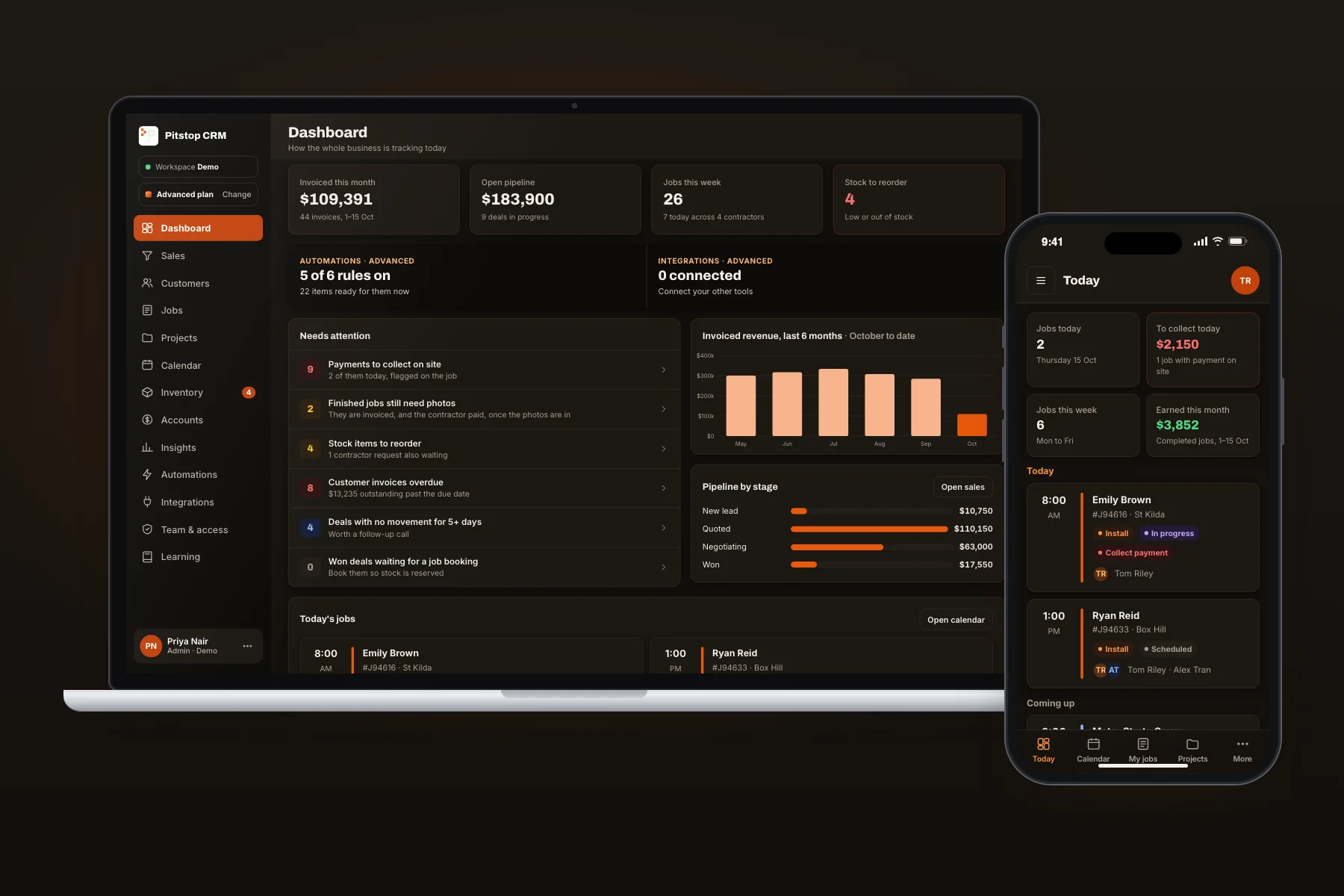
A home screen for each role: what needs attention today, today's jobs and the key figures.
Pitstop CRM
A CRM for trade businesses. Every lead, job, stock item and invoice in one set of records, a login for every role, and every screen built for a phone as well as a computer. Try it free for 14 days.
What's included
Ten on Intermediate and all twelve on Advanced, with a Learning page beside them on both plans.
A home screen for each role: what needs attention today, today's jobs and the key figures.
Leads, quotes and a pipeline from the first enquiry to the won job. One click turns a won quote into the job.
Every customer with their jobs, quotes and contact details. Call them or get directions from their record.
Search, status, checklist and photos for every job, with the stock it needs, a tag when there's payment to collect, and a review request when it's finished.
Bigger jobs run as stages, with progress claims against the quote and every linked job in one place.
Month, week and list views, a day view on phones, and double bookings refused.
Stock by warehouse and van, reserved when a job is booked, with reorder alerts and contractor stock requests.
Invoices raised from finished jobs, contractor pay runs with approval, and an export for your accounting software.
Revenue, pipeline, jobs and stock reports, each with an export.
Users, roles, permissions and a record of who changed what.
Follow-ups, reorders, reminders and texts that run on rules you set once.
Accounting, calendars, email, payments and texts, connected to the same records.
How it fits together
Today a job's details get typed, checked and chased in more than one place. Here each piece of information is entered once and carried through to the end. Watch one job go through.
Job 94640New lead
Blocked kitchen drain
Invoiced this month$109,391
Entered once. Nobody keys it twice.
Who sees what
Each person signs in with their own account and sees only what their job needs. Change someone's role in one click, and every change is recorded.
Sees and manages everything: every module, every user and every setting.
Leads, quotes and customers. Can check stock and job dates, but can't see invoices or contractor pay.
Invoices, contractor pay runs and the money reports. Can view jobs and stock, but not change them.
Their own jobs, calendar and statement, and stock orders. Nobody else's work or pay.
| Module | Full access | Partial access | No access |
|---|---|---|---|
| Dashboard | Admin | Salesown recordsAccountantown recordsContractorown records | |
| Sales | AdminSales | AccountantContractor | |
| Customers | AdminSales | Accountantsee only | Contractor |
| Projects | Admin | Salessee onlyAccountantsee onlyContractorown records | |
| Jobs | Admin | Salessee onlyAccountantsee onlyContractorown records | |
| Calendar | Admin | Salessee onlyContractorown records | Accountant |
| Inventory | Admin | Salessee onlyAccountantsee onlyContractorrequest only | |
| Accounts | AdminAccountant | Contractorown records | Sales |
| Insights | Admin | Salessee onlyAccountantsee only | Contractor |
| Team & access | Admin | SalesAccountantContractor | |
| Learning | AdminSalesAccountantContractor | ||
| Automations, on Advanced | Admin | SalesAccountantContractor | |
| Integrations, on Advanced | Admin | SalesAccountantContractor |
Full access means see and change. Partial access means see only, their own records only, or request only. More roles, such as Office or Warehouse, can be added when you need them.
Live demo
The demo runs in your browser on sample data. Sign in as any of the four roles, switch to the phone view, play the guided tour, or work through the Learning page.
Switch between Admin, Sales, Accountant and Contractor and watch the menu and dashboard change.
Log a lead, win it, book the job, finish it and watch the invoice and pay run follow. Nothing is saved.
Switch plans from the account menu. Locked parts stay in view, so you can see what each plan adds.
Opens in a new tab. Sample data, and changes reset when you refresh.
Pricing
After the trial it carries on as Intermediate, or you can choose Advanced. Australian dollars, confirmed in writing before anything starts.
Free for 14 days. Then $25 per user a month on Intermediate. No set-up fee, cancel any time.
Start my free trialRun the whole business
$25 per user / month
For a business with sales and office staff as well as contractors.
Let the system do the chasing
$30 per user / month
For a growing business that wants follow-ups and its other tools handled for it.
| Users | Intermediate | Advanced |
|---|---|---|
| 5 | $125 | $150 |
| 10 | $250 | $300 |
| 20 | $500 | $600 |
| 30 | $750 | $900 |
Your first 14 days are free. Billing starts when the trial ends, and invoices are monthly for the users active that month. There is no set-up fee and no contract: it's month to month, and you can cancel or change plan at any time. Hosting, daily backups and updates are included.
Work that only your business needs is quoted in writing first, at $90 an hour. Nothing is charged without your okay.
Yes, if you want your customers, jobs and invoices in one place. Try it free for 14 days and see whether it earns its keep; it pays off most when a few people share the work. If all you need is to look professional and never miss a call, start with the website and the receptionist.
Yes, that's included. I map what you have now, import it, and check the counts and totals against your old system before you switch. Your old system stays on until you sign off.
Every screen does. Contractors get a Today view with one tap to call or get directions, and the office gets the full system on a computer.
Each person has their own login and sees only what their job needs. Sales can't see pay, contractors see only their own work, and every change to a user or a role is recorded.
Dorsa Khajeh, our head of cyber security, reviews every release before it goes live. Your data is backed up every day, you can export everything at any time, and if you ever leave you get a full export within 14 days.
Invoices and pay runs export as files that Xero, MYOB and QuickBooks can import. A direct link is a later option.
Nothing, on either plan. The monthly price covers set-up, the data import and training, and there's no contract: month to month, cancel any time.
Tell me how your business runs now, and I'll show you what it would look like in the CRM.